You’re guessing
You know you need content, but every week starts with the same question: what should we post?
CONTENT PLANNING BASED ON WHAT’S ACTUALLY WORKING
Blink Bot analyses your content performance, learns what your audience responds to, and turns those signals into your next ideas, scripts, captions, filming plans, carousels and photo posts.
Connect your content. Blink Bot learns. You get a plan.
Some posts work. Some don’t. Blink Bot looks at why.
Some posts get watched. Some get ignored. Certain subjects keep performing while others disappear. Blink Bot looks for those patterns and uses them to help decide what you should create next.
SOUND FAMILIAR?
You know you need content, but every week starts with the same question: what should we post?
One Reel performs well. Another barely moves. Likes and reach tell you what happened, but not what to do next.
A prompt can give you ideas. It does not know what your audience has already responded to.
Blink Bot connects those dots.
FROM PERFORMANCE TO PRODUCTION
Connect your content, learn from what performs and turn those signals into something you can make.
Meta or YouTube
Connect Meta or YouTube and give Blink Bot the context it needs about your business and brand.
Content + performance
Blink Bot analyses your existing content and looks for useful patterns in what performs.
Review your ideas
It turns those signals into content ideas. You review them, accept what you want and reject what you don’t.
Content Production
Accepted ideas become scripts, captions, shot guidance, carousel structure or creative direction.
Publish it, link it back, and the learning continues. You publish manually; Blink Bot does not automatically post to Instagram or Facebook.
FROM PLAN TO PRODUCTION
Blink Bot does not force every idea into a Talking Head. Depending on the subject and what it has learned, your plan can include Talking Heads, B roll, carousels, graphics, photos and Stories.
REAL BLINK BOT SCREEN
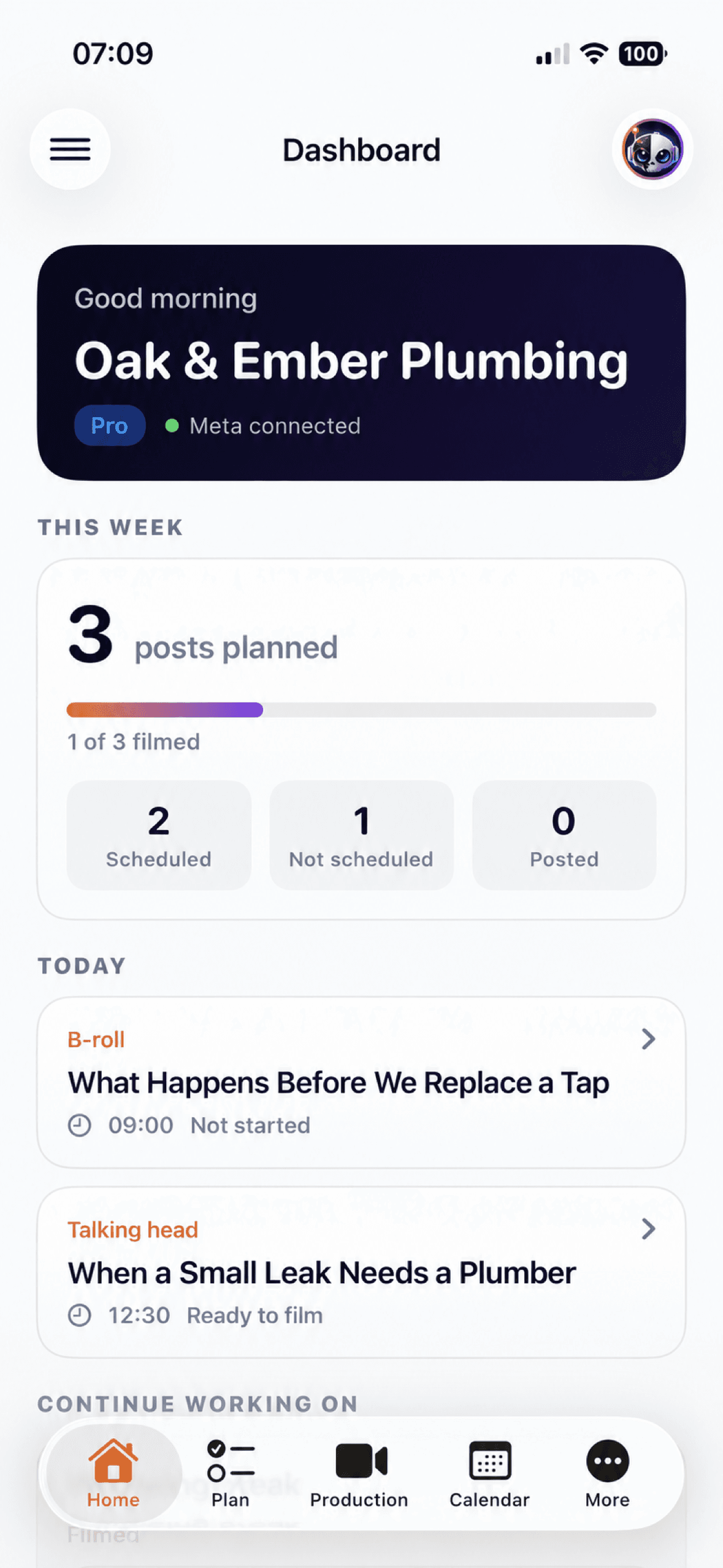
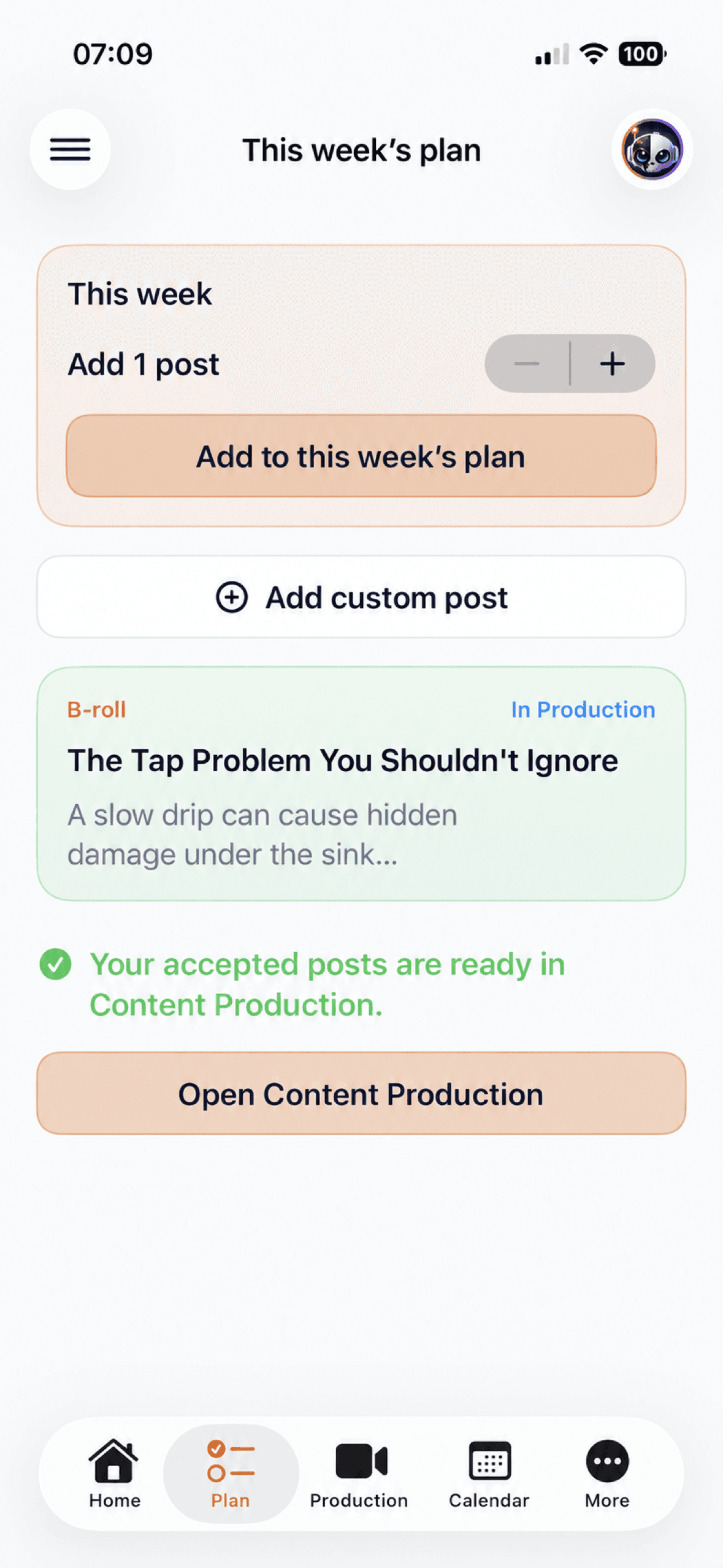
Blink Bot turns performance signals into a clear set of ideas for the week. Accept the ideas you want, reject the ones you don’t and add something manually when the business has something timely to say.
Shown with fictional business content.INCLUDED WITH PRO
Upload your Talking Head video, review the suggested cuts and captions, choose the look, then let Quick Edit render the finished vertical video.
REAL BLINK BOT SCREEN
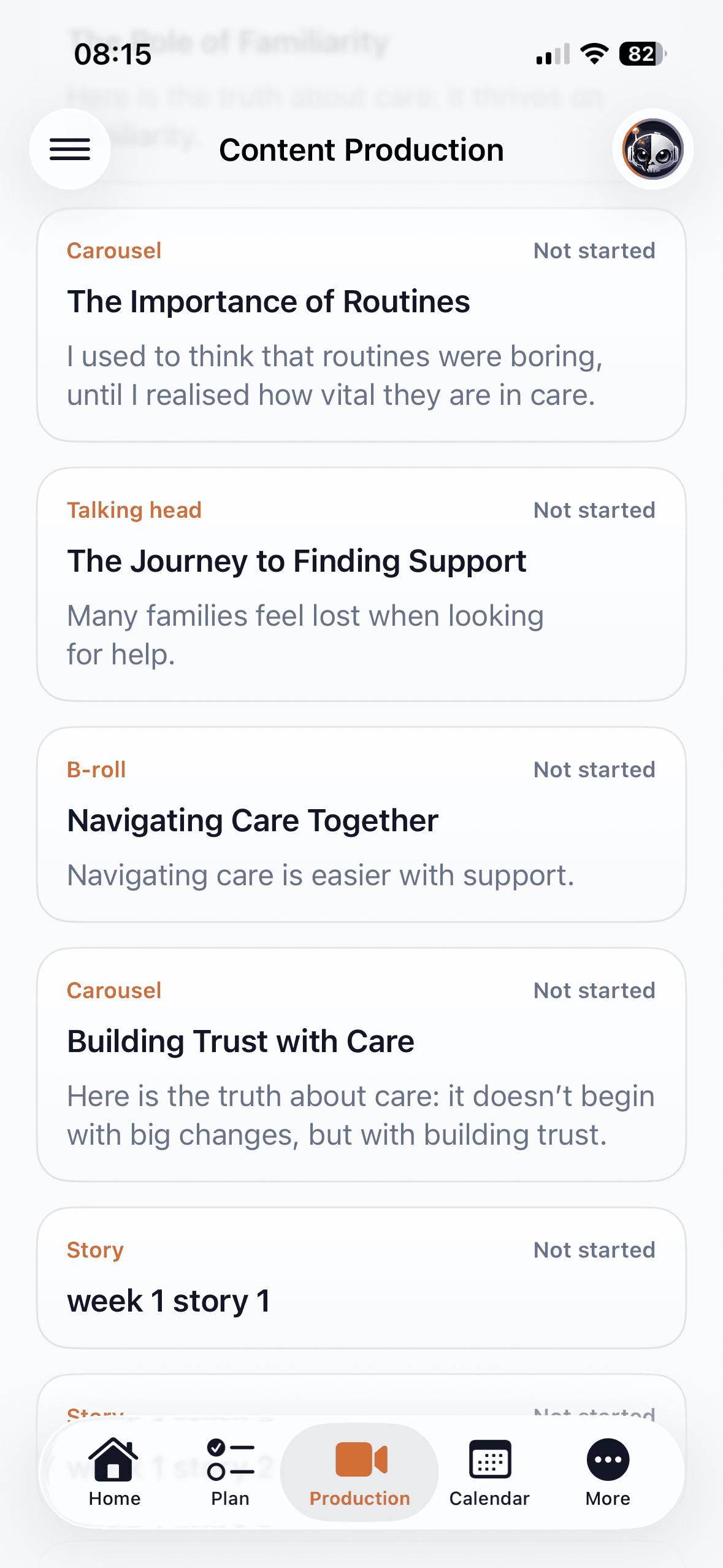
Once you accept an idea, it moves into Content Production where Blink Bot turns it into something you can actually create. That can include scripts, shot guidance, slide structure, captions and production detail depending on the format.
Shown with fictional business content.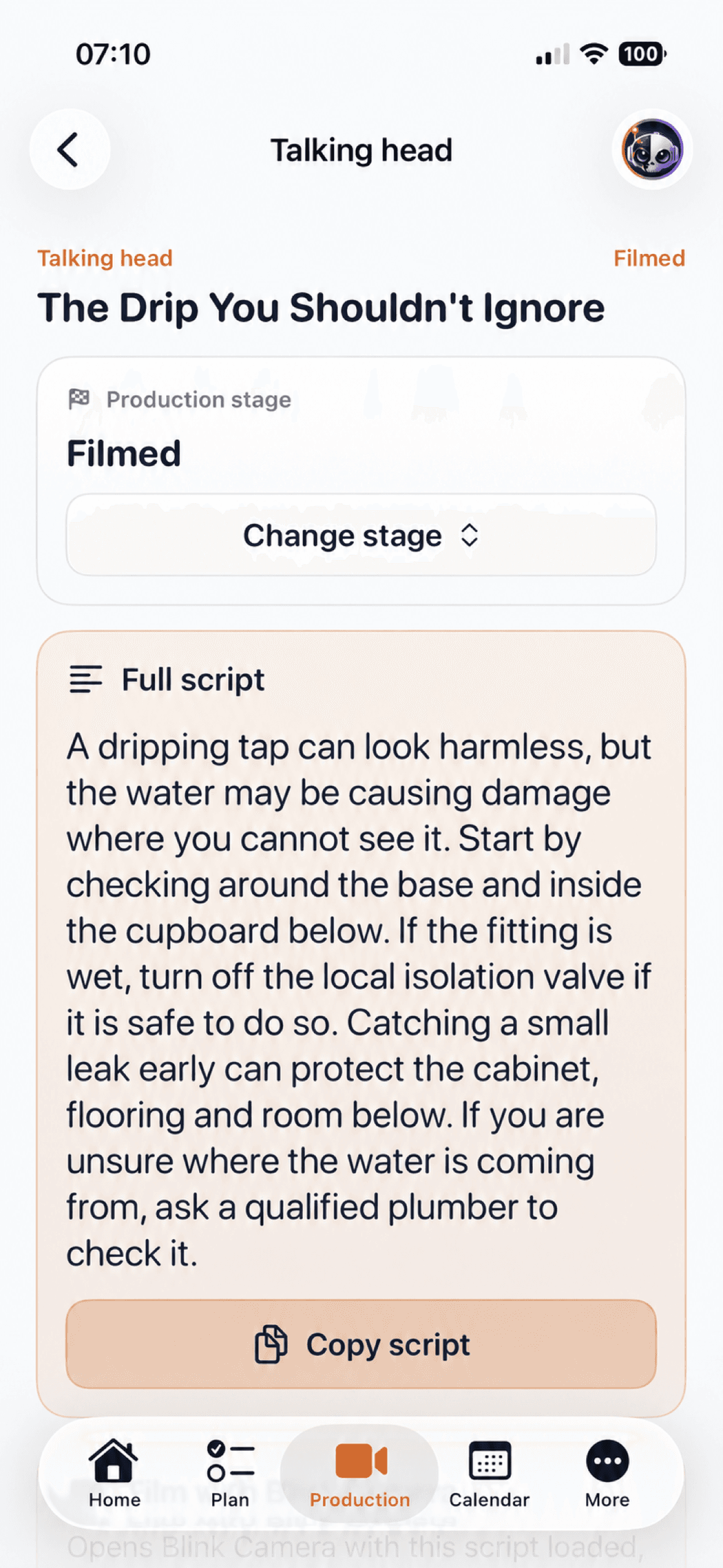
REAL BLINK BOT SCREEN
Once you accept a Talking Head idea, Blink Bot builds the script, filming guidance, caption and production detail around it.
Shown with fictional business content.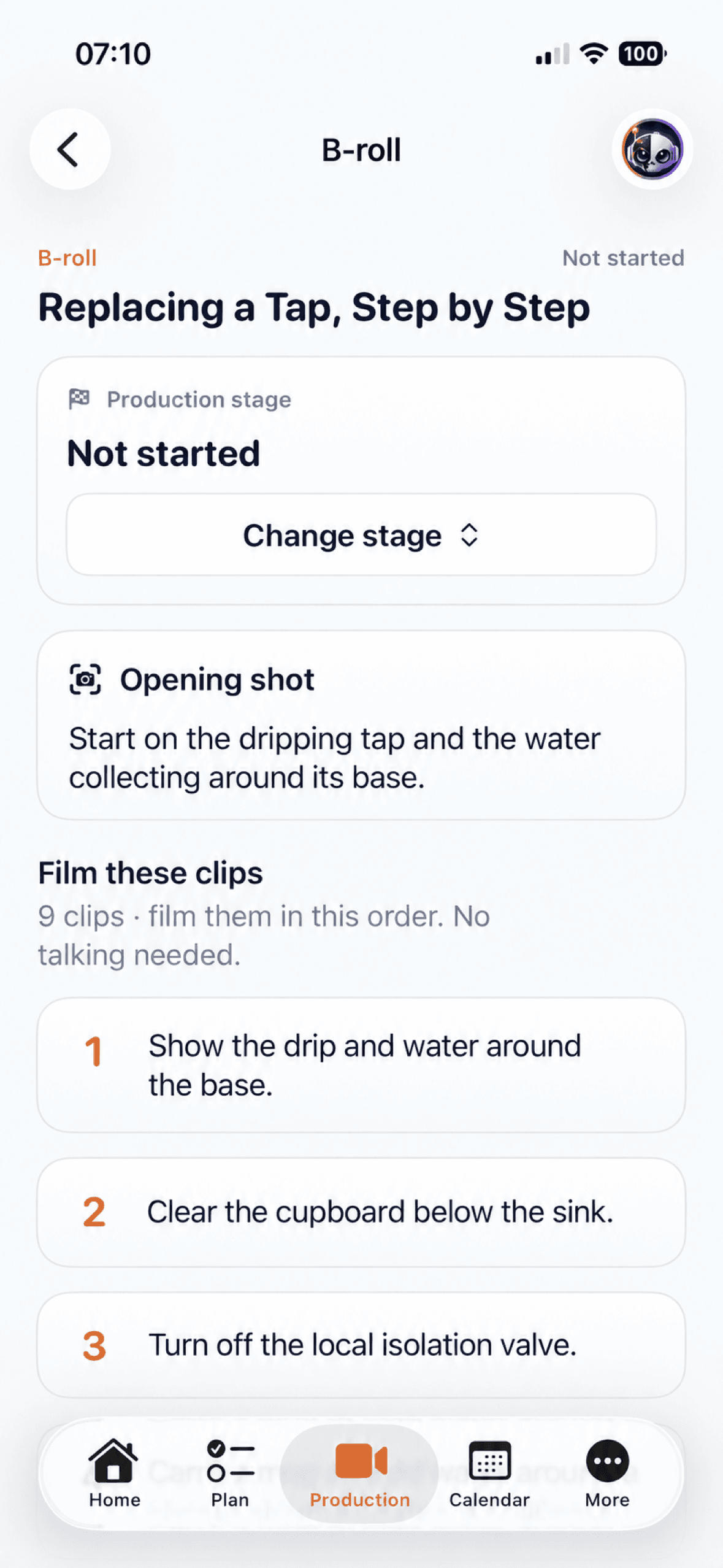
REAL BLINK BOT SCREEN
Blink Bot turns the idea into a practical sequence of shots, with the opening, filming order, caption and production guidance ready to use.
Shown with fictional business content.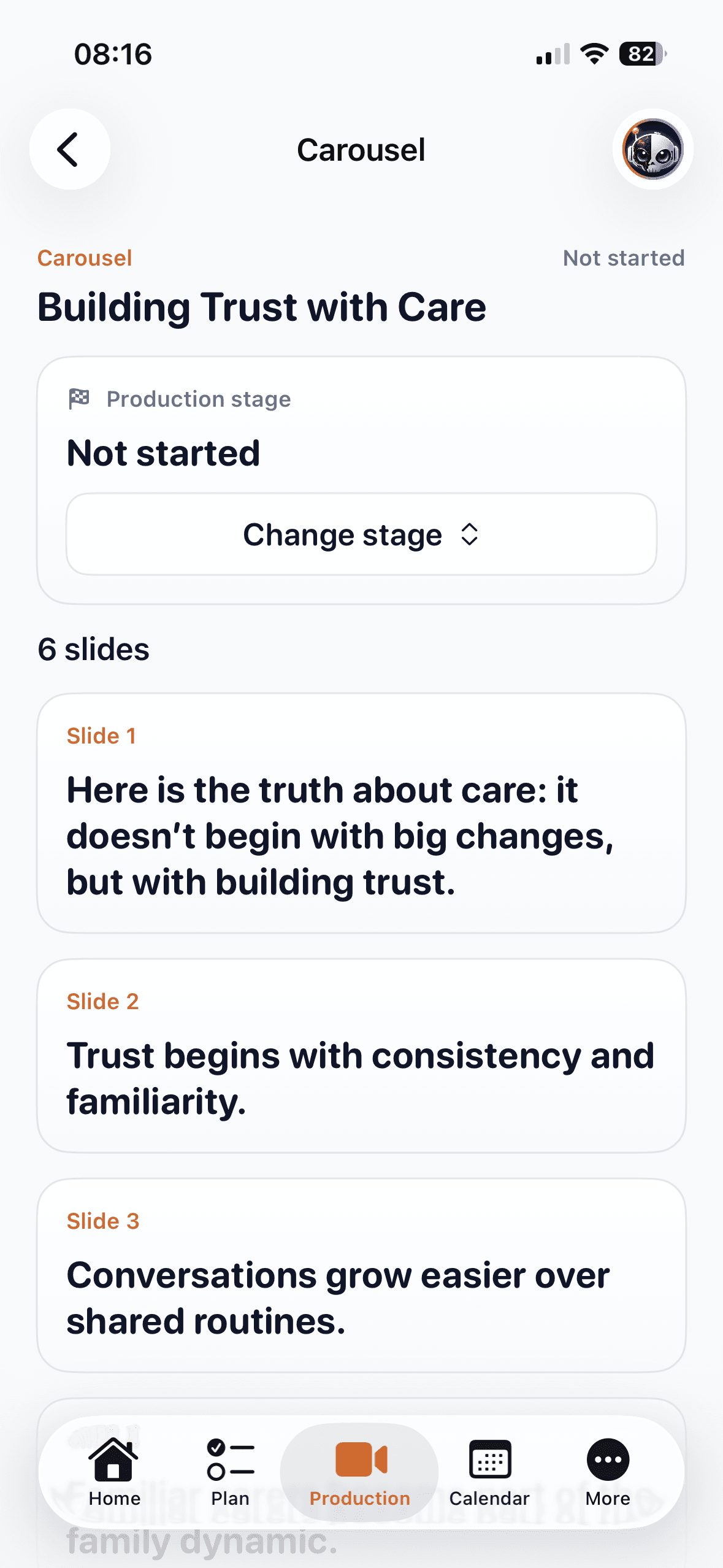
REAL BLINK BOT SCREEN
Blink Bot gives you the opening slide, slide structure and supporting copy so you are not staring at an empty design wondering what each slide should say.
Shown with fictional business content.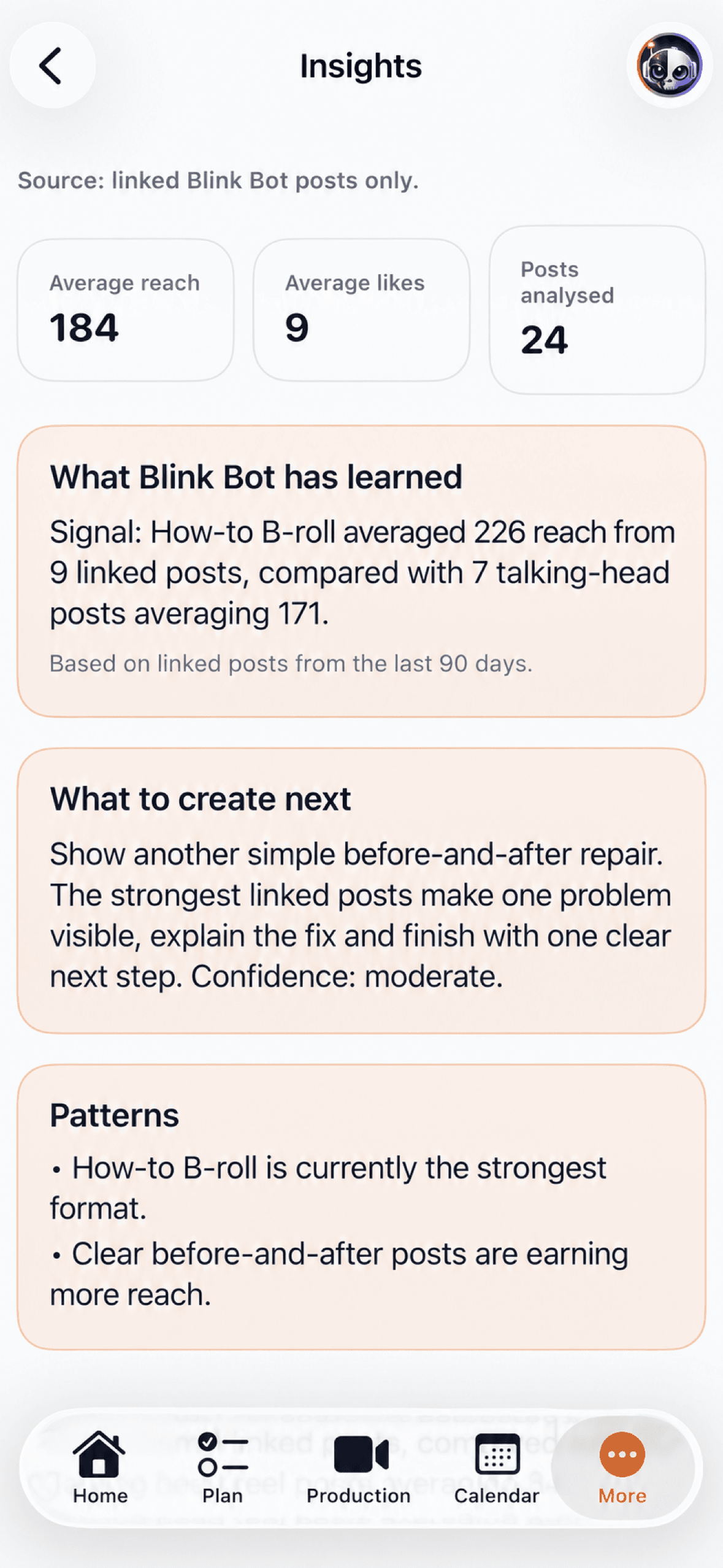
REAL BLINK BOT SCREEN
Blink Bot looks across linked posts for useful patterns in formats, topics, openings and performance. Instead of leaving you staring at analytics, it turns those signals into a practical answer: What should I create next?
Shown with fictional demonstration data.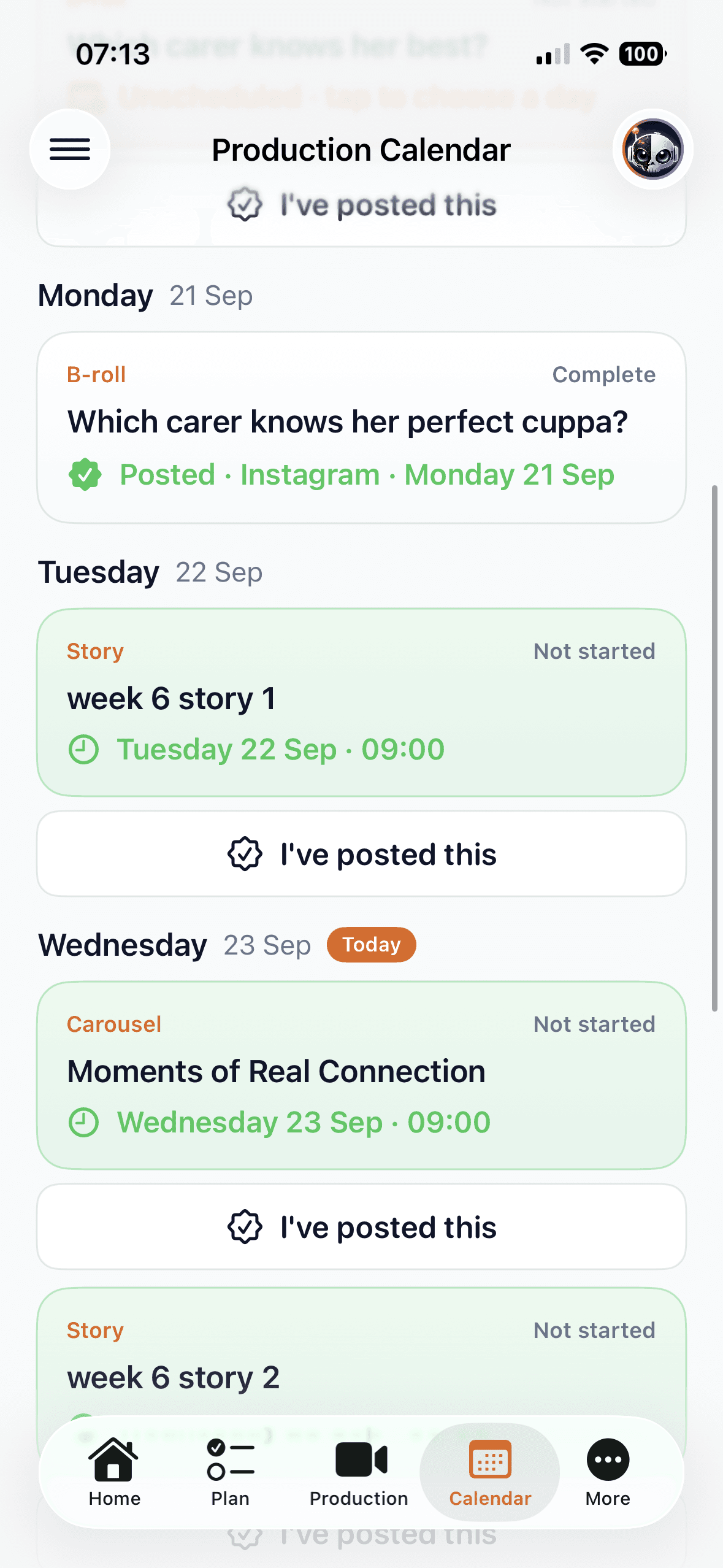
REAL BLINK BOT SCREEN
Accepted content can be scheduled into the Production Calendar so you can see what is coming up, what is complete and what still needs attention.
Shown with fictional business content.A DIFFERENT STARTING POINT
Ask a generic AI tool for ten social media ideas and it will give you ten ideas. Blink Bot starts with your business, your brand, your connected content and the performance signals already sitting in your account. Then it uses that context to decide what is worth creating next.
“Give me 10 Instagram ideas for an estate agent.”
Starts with a broad prompt.“Your property walkthroughs and local market videos are performing best. Here are the next videos to make, including the hook, filming guidance and caption.”
Illustrative example using business context and available connected performance.BUILT AROUND YOUR RESULTS
Your local market videos are getting attention. Blink Bot can help you work out what to make next.
Your before and after jobs outperform generic promotions. Blink Bot spots that pattern and builds around it.
Your simple explanations keep getting engagement. Blink Bot helps identify the topics and formats worth repeating.
Your learner question videos perform better than generic driving tips. Blink Bot helps turn that signal into the next plan.
Your reassurance content connects with families. Blink Bot helps identify the themes worth continuing.
Consultants, coaches and local service businesses can use their own content signals to decide what is worth creating next.
START WITH YOUR OWN SIGNALS
Lite gives you a genuine way to experience the workflow. Pro gives you more content each month, fuller production detail and deeper insight into what is working.
Free
A real starting point for your business.
£17 / month
For a fuller, more consistent content plan.
Need more? Add 5 extra Quick Edits for £5.
Start freeStart on Lite. Upgrade inside your workspace.
Included post allowances are shared across Meta and YouTube, with both weekly and monthly limits. Both plans need a connected platform and initial business setup.
Managing several businesses or clients? Agency is for businesses, creators or agencies managing multiple workspaces. Discounted multi-workspace pricing is available privately. Talk to us about Agency.
A LITTLE HELP ALONG THE WAY
Blink Bot can tell you what to create. The Content Club helps you get better at actually creating it. Join Mike for free live training, filming advice, content examples and Blink Bot walkthroughs.
Explore the free community (opens in a new tab)A FEW PRACTICAL ANSWERS
No. Blink Bot uses your business context, connected content and available performance to work out what is worth creating next. It then turns accepted ideas into a practical production plan. You remain in control and create the final content.
No. Talking-head videos are one option. You can also plan B roll, photos, graphics, carousels and Stories. Detailed graphic and carousel production tools are included in Pro.
Blink Bot is for service businesses such as trades, estate agents, accountants, driving instructors, care businesses, consultants, coaches and local businesses. You don’t need to be a professional content creator.
Yes. Connected content and available performance give Blink Bot more context for planning. You can also link published posts back to planned content.
No. Blink Bot helps you plan and prepare. You create and manually publish your posts, then link the published content back to Blink Bot.
Yes. Lite includes one workspace, up to 1 post per week and 4 per month, plus 2 regenerations per month. Choose Meta or YouTube as your platform. Graphic and carousel ideas, opening copy and captions are included; their detailed production tools are part of Pro.
Accepted ideas move into Content Production, where you work with the production detail for that format and your plan. Use the Calendar to organise the work and publishing dates. Accepting an idea does not publish it.
Yes, where it is available through your connected platform and granted permissions. Linked published posts and available insights can inform future planning. The amount of data available depends on the platform and connection.
You need Meta or YouTube connected before a new workspace can generate a plan. You also complete Content Direction and basic Brand Bible information. For Instagram, use a professional account linked to a Facebook Page you manage. Facebook connects through a Page you manage. YouTube connects through Google with read permissions for your channel and, where granted, analytics. Lite lets you choose Meta or YouTube; Pro supports both.
Subscription management is available through Settings → Manage subscription, which opens Stripe. The app honours the stored paid-through date before returning an account to Lite. Review the cancellation options shown in your billing portal.

YOUR NEXT PLAN STARTS WITH REAL SIGNALS
Connect your content. Let Blink Bot learn what works and build your next plan.
Start free